How To Find Your API Key
Within Sweep And Go
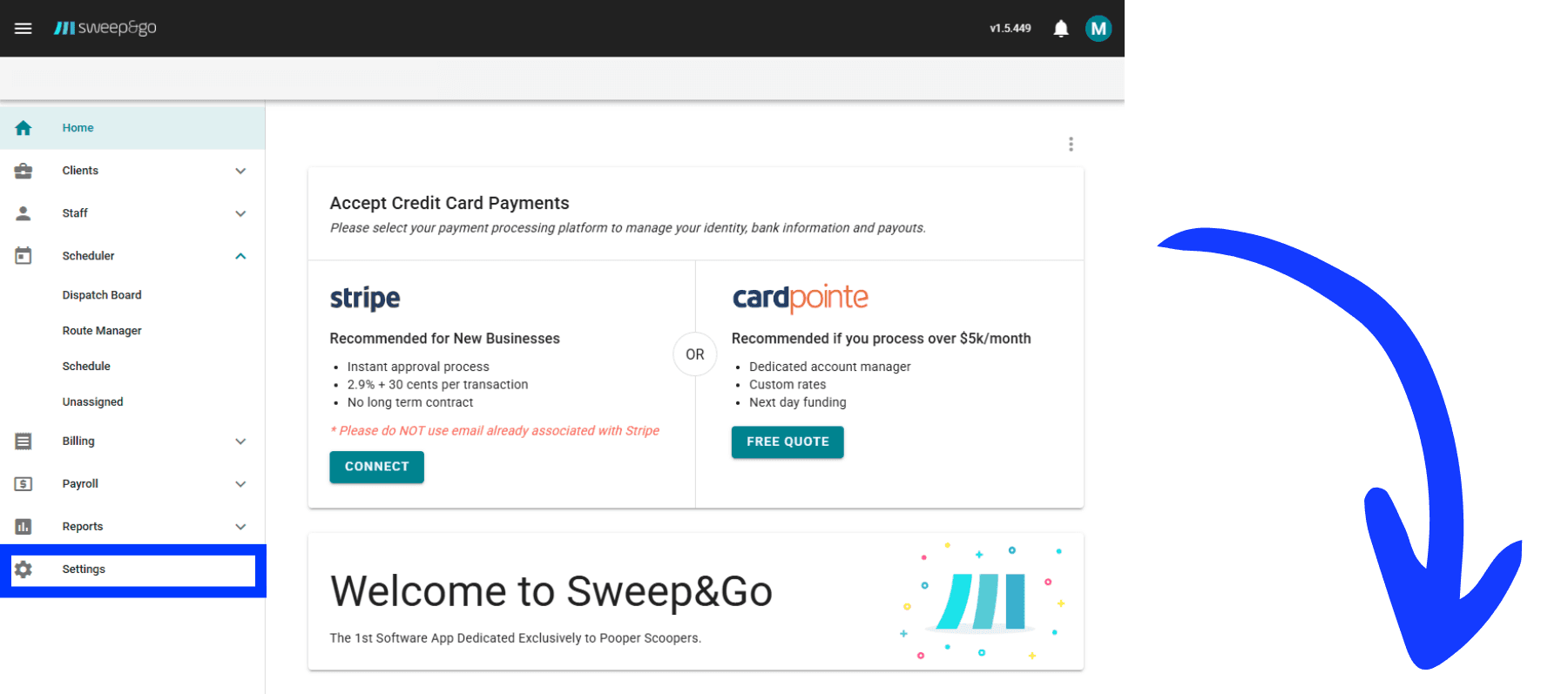
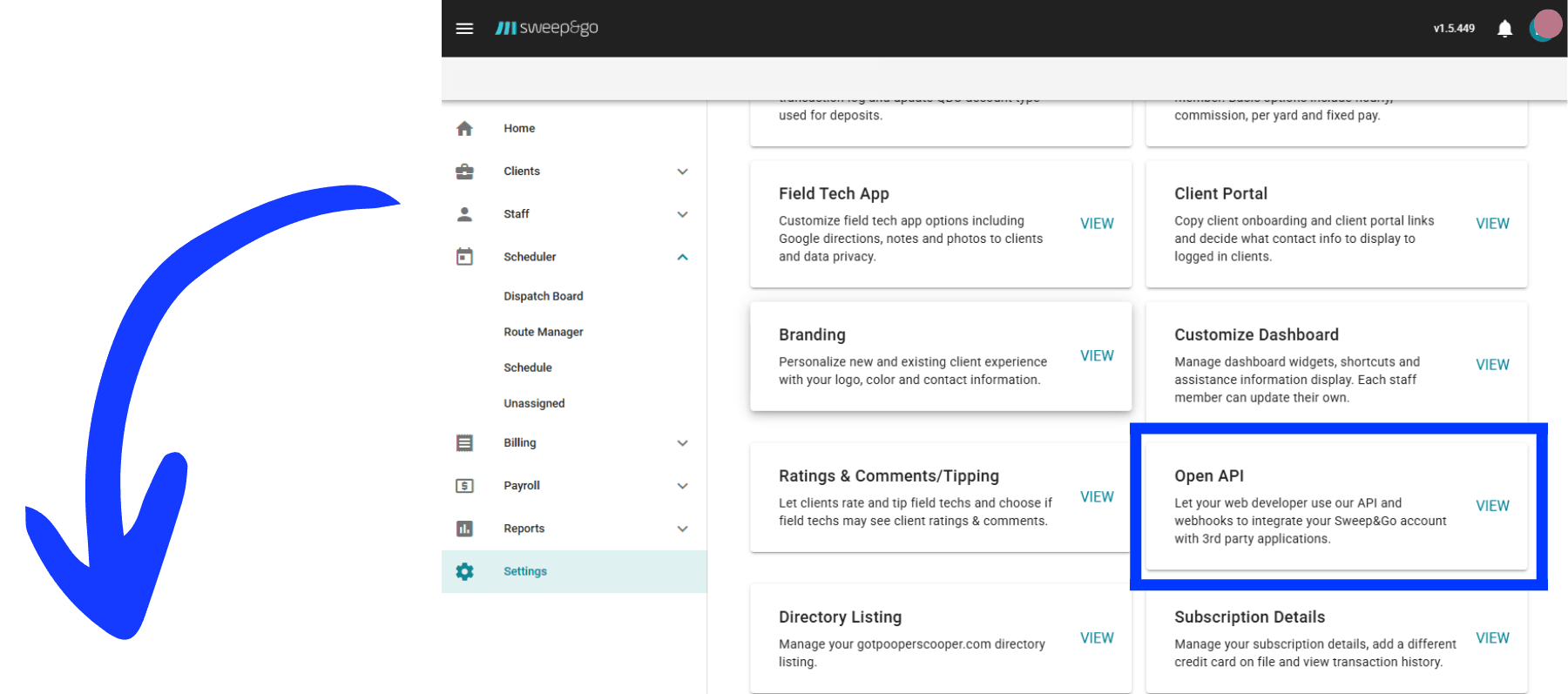
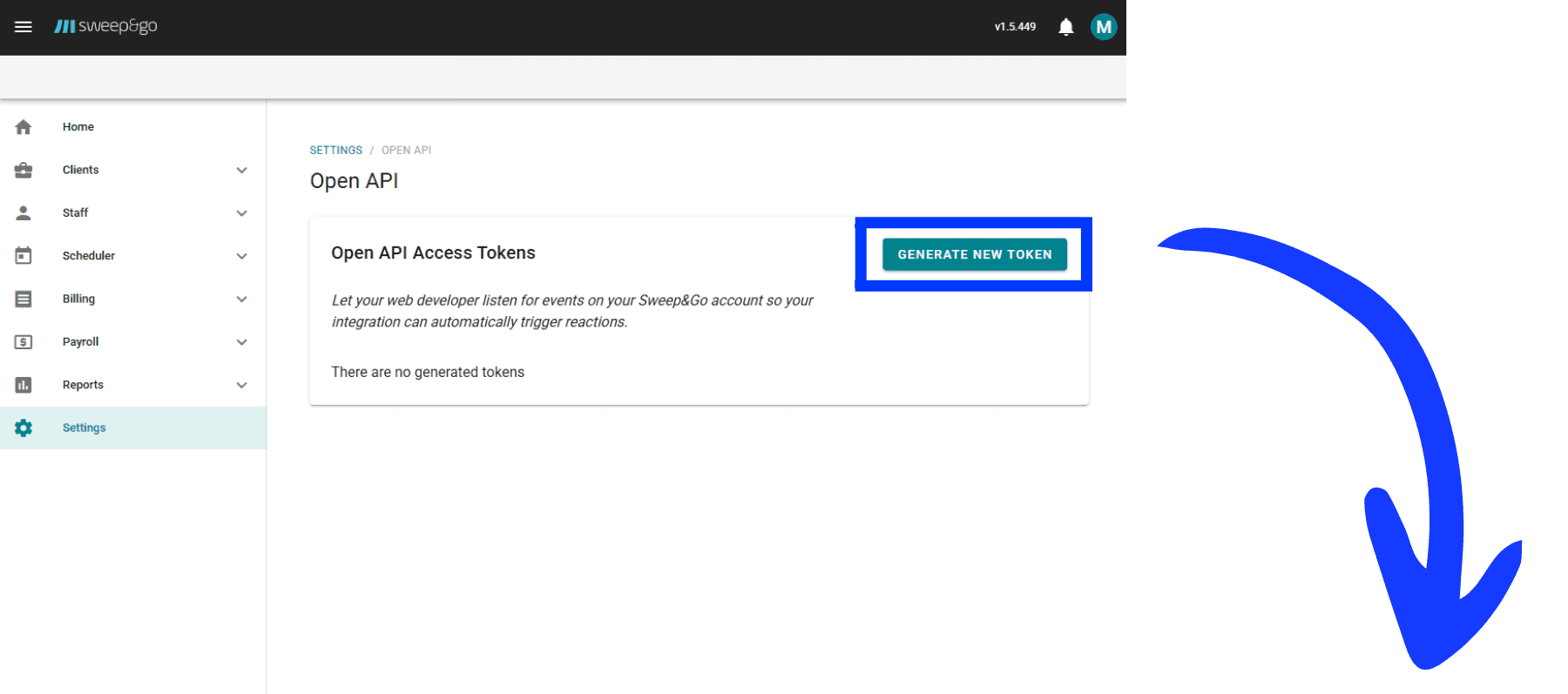
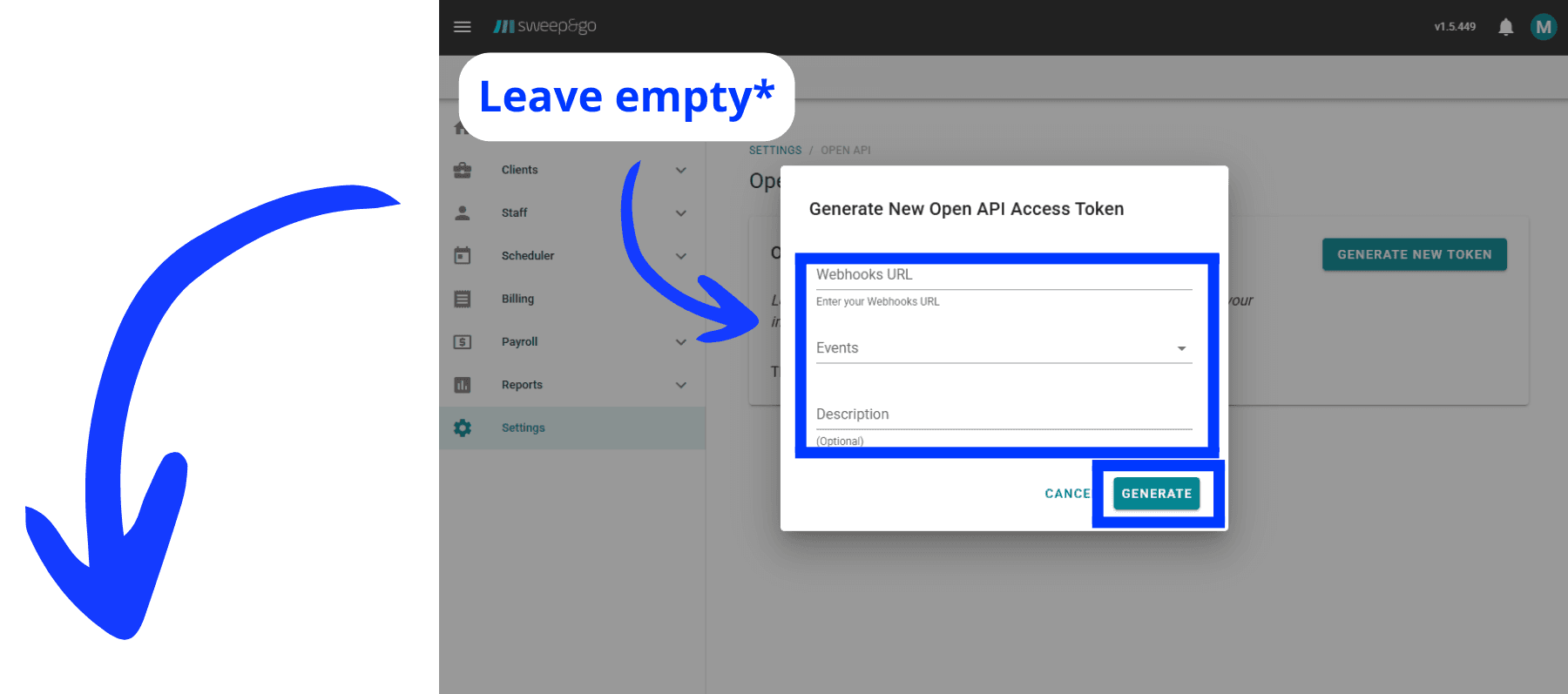
Follow the detailed steps in the images below to locate your API key within Sweep And Go. These instructions will guide you to quickly and easily find the exact location of the API Key within your Sweep And Go account.
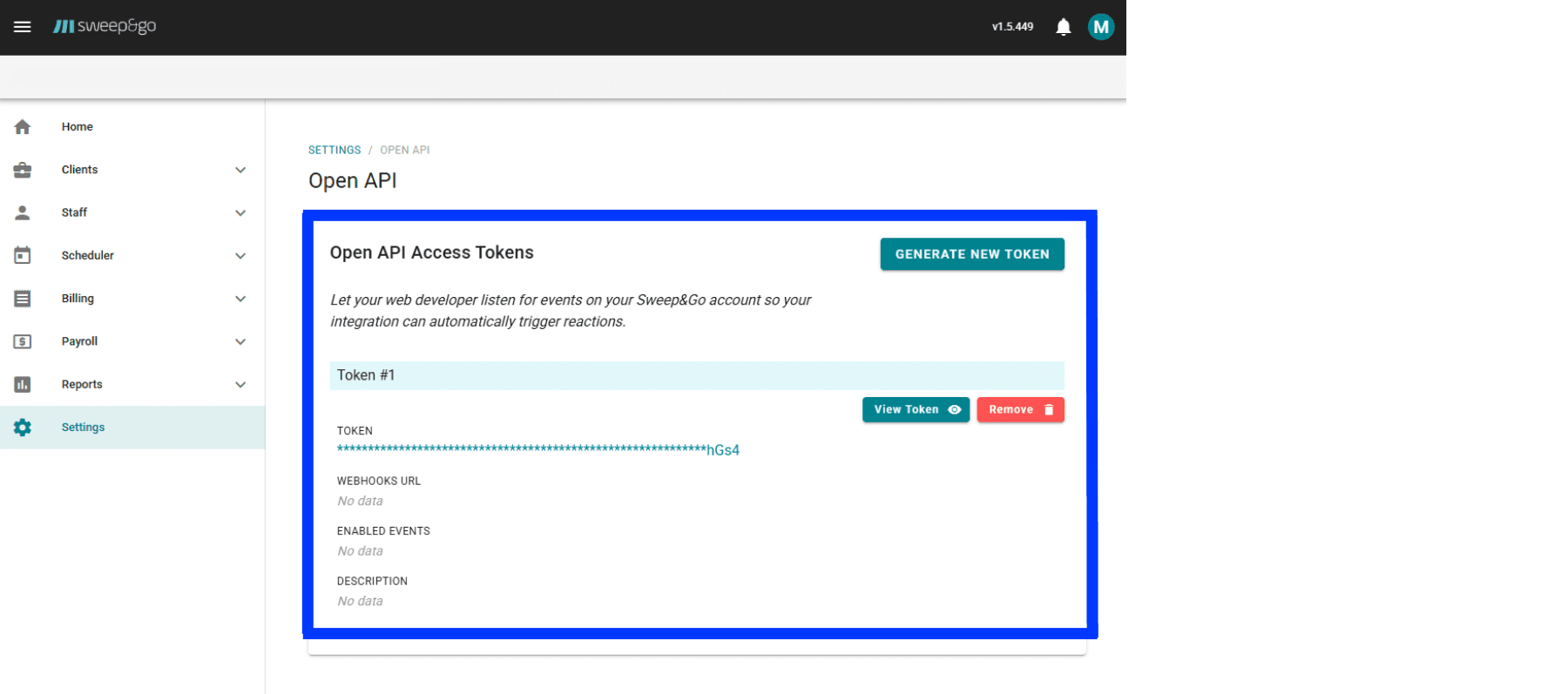
Have more questions?
CRM Connector makes integrating external CRMs with GoHighLevel simple and reliable. If you can't find what you're looking for below, reach out and we'll help.
Can't find answers?
We're here to help with setup, integrations, or anything else. Get in touch and we'll get back to you as soon as possible.
Ready to connect Sweep&Go? Start your 7-day free trial
Now that you have your Sweep And Go API key, connect it to GoHighLevel in minutes with CRM Connector. No code required.
Paste your API key
Enter your Sweep And Go token into CRM Connector inside HighLevel.
Instant sync
Contacts, jobs, and updates flow between Sweep And Go and HighLevel automatically.
Reliable and secure
Your data stays in sync with zero manual effort after setup.